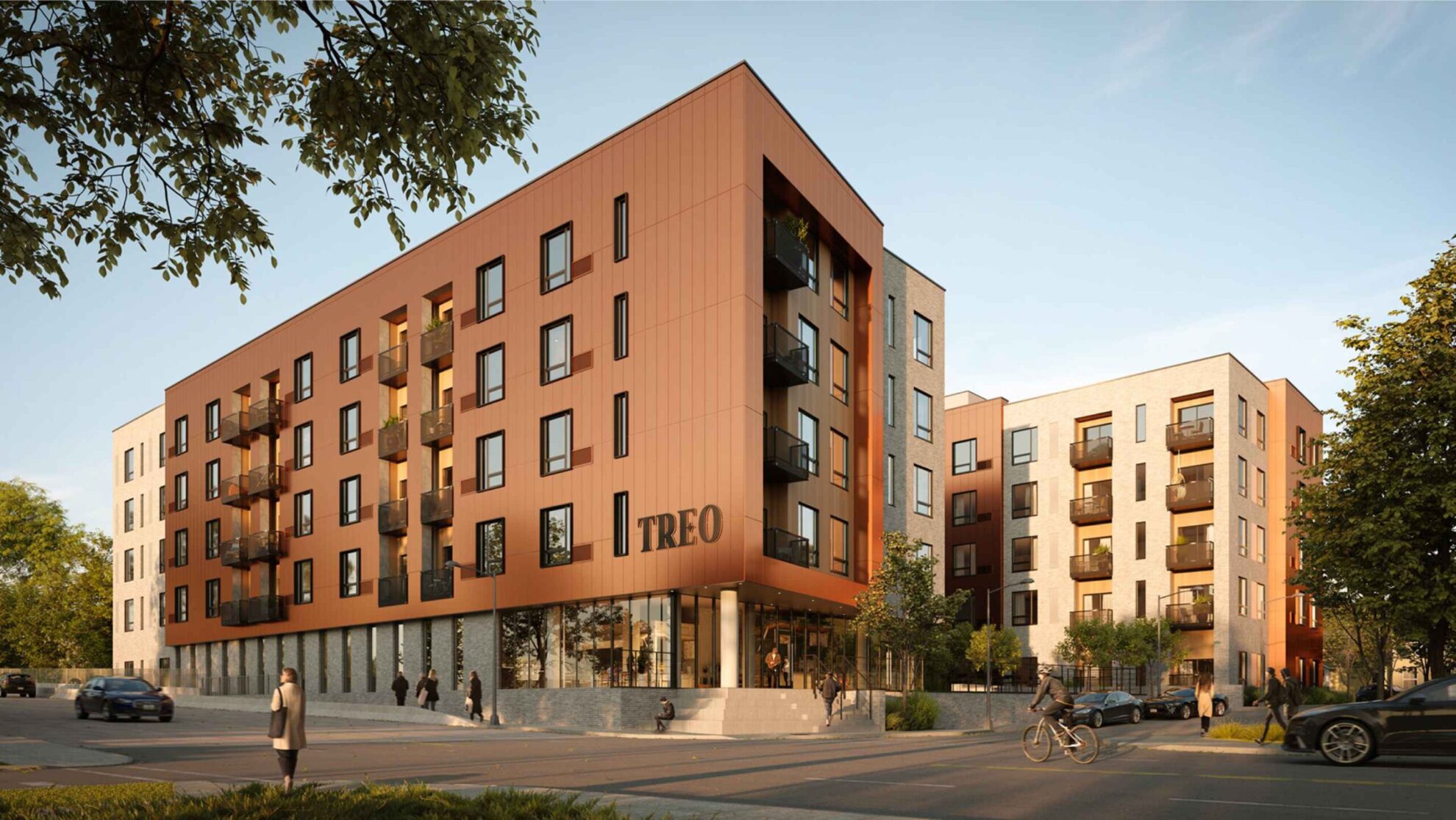
How Much Does 3D Rendering Cost in 2026?
One of the most common questions that arise when considering a 3D rendering project is, “How much does it cost?” The answer isn’t straightforward, as the cost of 3D rendering can vary significantly based on several factors.
Overview
3D rendering prices range from $100 for a simple product packshot to $10,000+ for a complex architectural animation — and everything in between. The final cost depends on what you’re rendering (a single product, a full interior, an exterior with landscaping), how detailed and photorealistic the result needs to be, and whether you’re working with a freelancer or a professional studio.
This guide breaks down real pricing for every major type of 3D rendering — product visuals, interiors, exteriors, animation, floor plans, and virtual staging — so you can budget accurately and know what to expect before requesting a quote.
Contents
- 3D Rendering Cost at a Glance
- 3D Product Rendering Cost
- 3D Interior Rendering Cost
- 3D Exterior Rendering Cost
- 3D Architectural Rendering Cost
- 3D Animation Cost
- 3D Floor Plan Cost
- 3D Furniture Rendering Cost
- Virtual Staging Cost
- 360° Virtual Tour Cost
- Why Is 3D Rendering Expensive?
- AI Rendering Cost: Where It Saves Money and Where It Doesn't
- Freelancer vs Studio: Price Comparison
- Hourly vs Fixed Price: How Studios Charge
- 3D Rendering Cost by Region
- How to Get an Accurate 3D Rendering Quote
- Frequently Asked Questions
- Get a Quote for Your Project
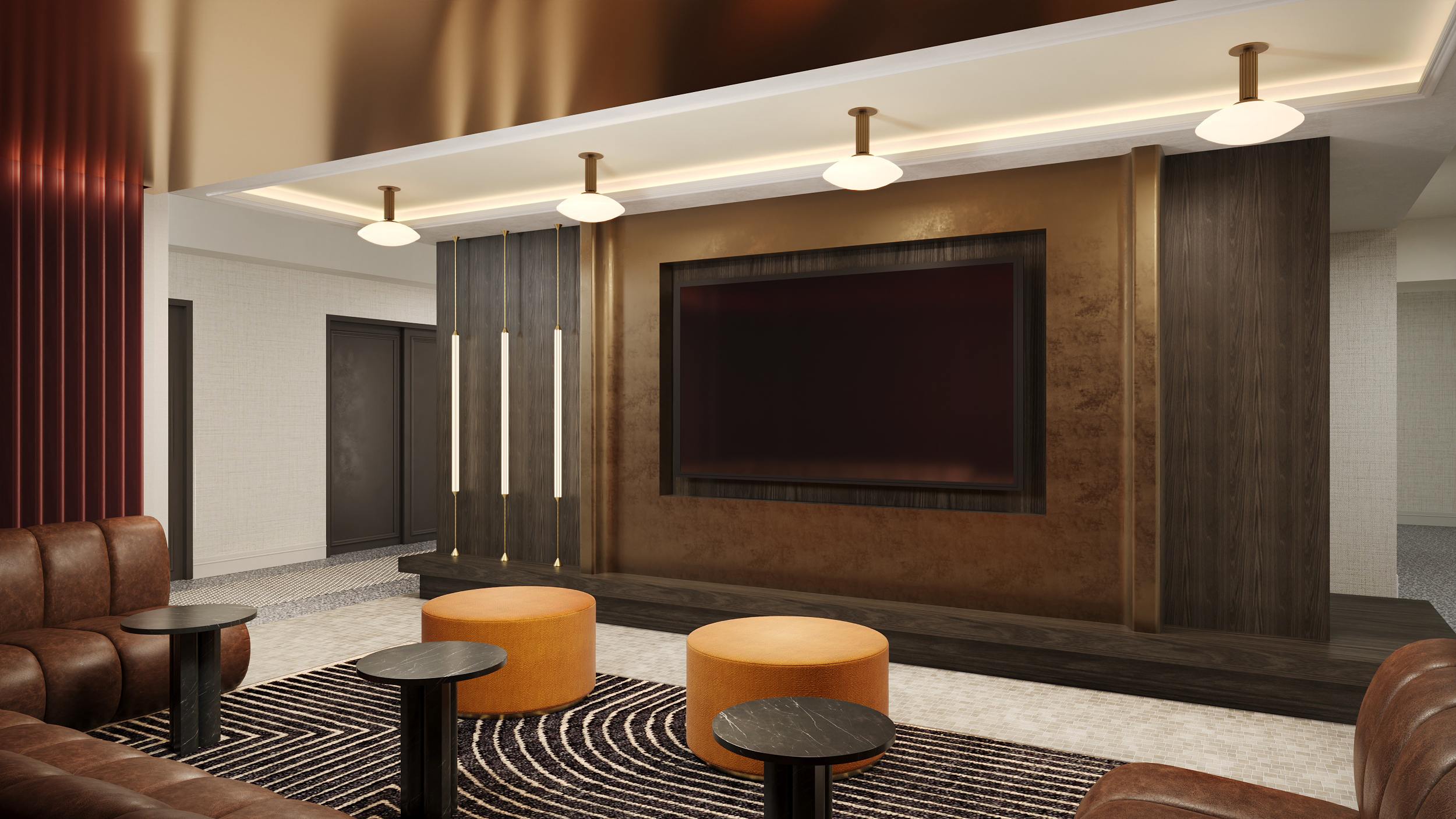
3D Rendering Cost at a Glance
Before diving into the details, here’s a quick overview of what each type of 3D rendering typically costs in 2026. These are starting prices — final quotes depend on project complexity, number of images, and level of detail.
| Rendering Type | Starting Price | Typical Range |
|---|---|---|
| Product Packshot | $100 | $100 – $500 |
| Product Lifestyle Scene | $300 | $300 – $1,500 |
| Interior Rendering | $300 | $300 – $2,000 |
| Exterior Rendering | $500 | $500 – $3,000 |
| Architectural Visualization (per project) | $500 | $500 – $5,000 |
| 3D Animation (per project) | $500 | $500 – $10,000+ |
| 3D Floor Plan | $200 | $200 – $800 |
| Furniture Rendering | $200 | $200 – $1,500 |
| Virtual Staging | $100 | $100 – $500 |
| 360° Virtual Tour | $500 | $500 – $3,000 |
The sections below break down each category — what’s included at each price point, what drives the cost up, and where you can save.
3D Product Rendering Cost
Product rendering is one of the most common types of 3D visualization — and one of the most varied in price. A single packshot on a white background and a styled lifestyle scene with a full interior environment are completely different projects in terms of scope, time, and cost.
Packshot / White Background Renders: $100 – $500
A clean product image on a white or transparent background — the standard for Amazon, Shopify, and catalog listings. The price depends on product complexity: a simple chair or lamp starts around $100, while a detailed mechanical product with multiple materials and small components can reach $300–$500. Packshots are the most affordable type of product render because they don’t require building a surrounding environment — just the product, studio lighting, and a clean background.
Lifestyle & Context Scene Renders: $300 – $1,500
Your product placed in a realistic environment — a living room, kitchen, patio, or office. Lifestyle renders cost more because the studio builds the entire scene around the product: furniture, decor, materials, lighting, and atmosphere. A simple scene with a few props starts around $300. A fully styled interior with custom elements, natural lighting, and high-end finishes can reach $1,000–$1,500. These visuals are what drives conversions on landing pages, social media, and marketing campaigns.
360° Product Spins & Animation: $500 – $2,000+
Interactive 360-degree views and short product animations (assembly sequences, feature highlights, cinematic reveals) are priced higher because they require rendering dozens or hundreds of individual frames. A basic 360° spin starts around $500. A 15–30 second product animation with camera movement, transitions, and post-production typically costs $1,000–$2,000+, depending on complexity and length.
What Affects Product Rendering Price
- Product complexity: A simple shelf vs. a modular furniture system with 50 components — the modeling time alone can differ by 5–10x.
- Number of materials: A product with one material (plastic, wood) costs less to texture than one with fabric, glass, chrome, and leather combined.
- Number of angles: Additional views from the same model are always cheaper than the first render — the model and scene are already built.
- Color and material variants: Swapping a finish or fabric color from an existing setup costs a fraction of a new render.
- Scene type: White background is cheapest. A lifestyle scene with a full environment is the most expensive.
- Volume: Rendering 50 products is cheaper per unit than rendering 3. Studios offer volume discounts for large catalogs.
Need product visuals for your e-commerce store or catalog? See our 3D product rendering services — with pricing starting at $100 per image.
3D Interior Rendering Cost
Interior rendering is used by architects, interior designers, real estate developers, and furniture brands to show how a space looks before it’s built or renovated. Pricing depends on the size of the space, the level of detail, and how many unique elements need to be modeled from scratch.
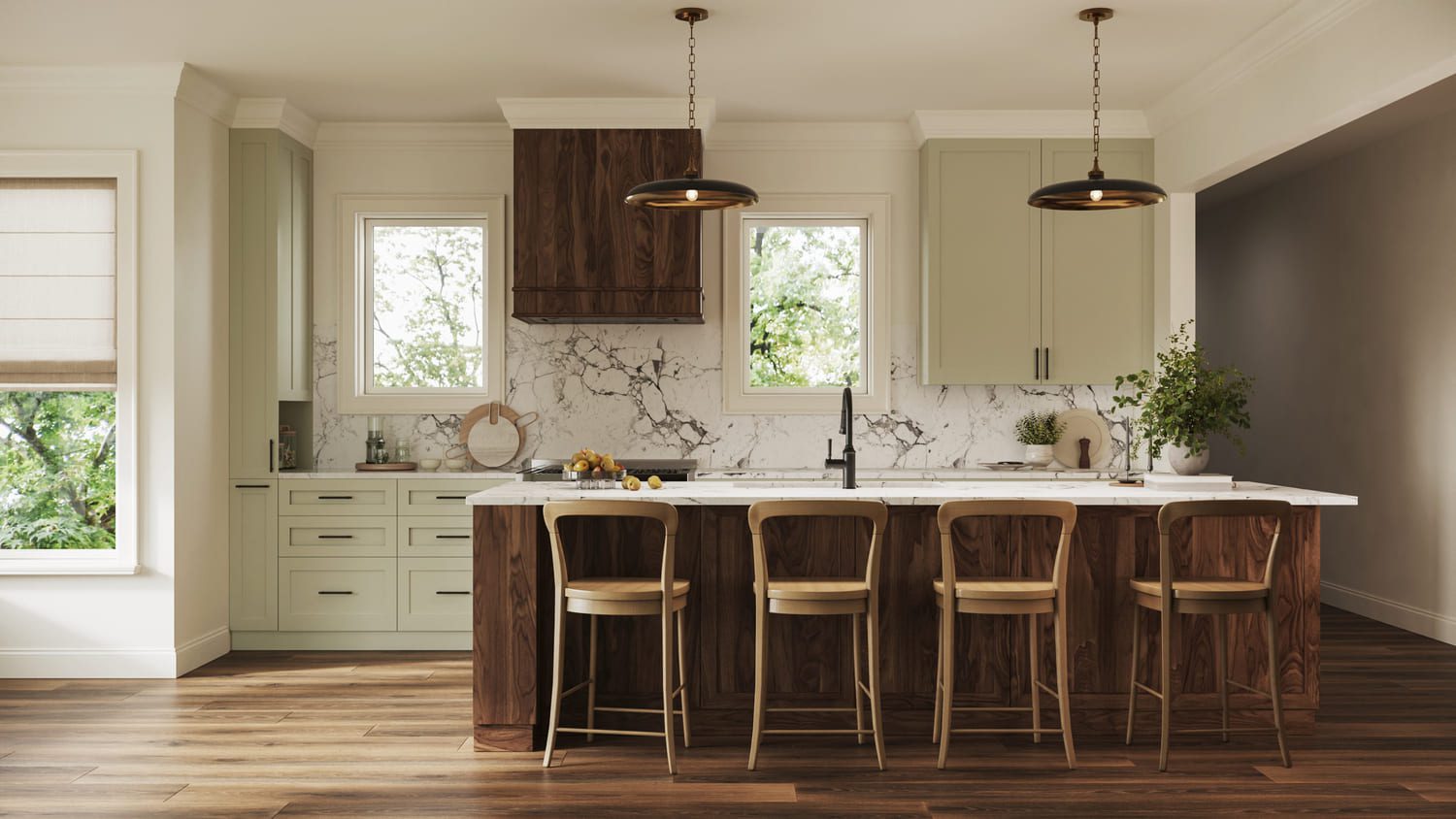
Standard Interior Visualization: $300 – $2,000
A single-room interior render — living room, bedroom, kitchen, bathroom, or office — typically starts at $300 for a straightforward layout with library furniture and standard materials. Mid-range projects ($500–$1,000) include custom furniture placement, realistic material finishes, and carefully composed lighting that matches the design intent. High-end interior renders ($1,500–$2,000+) involve fully custom scenes with bespoke furniture, detailed millwork, complex lighting scenarios (natural + artificial), and photorealistic quality that’s indistinguishable from a professional photograph.
What Affects Interior Rendering Price
- Room size and complexity: A small bathroom with simple finishes costs far less than a double-height living room with a mezzanine, floor-to-ceiling glazing, and a custom staircase.
- Custom vs. library furniture: Using pre-made 3D models from a studio’s library is faster and cheaper. Custom-modeled furniture, fixtures, or millwork adds modeling time and cost.
- Number of materials and finishes: Marble countertops, wood paneling, fabric upholstery, brushed brass hardware — each material needs accurate texturing. More materials means more production time.
- Lighting complexity: A daytime scene with natural light from windows is simpler than an evening scene with multiple artificial light sources, each casting realistic shadows and reflections.
- Number of angles: The first render of a room is the most expensive because the entire scene must be built. Additional camera angles from the same scene cost 30–50% less.
- Styling and decoration: An empty or minimally furnished room is cheaper. A fully styled space with books, plants, art, textiles, and tableware adds detail and production time.
Planning an interior project? Explore our 3D interior visualization services — from single-room views to full apartment and hotel renders.
3D Exterior Rendering Cost
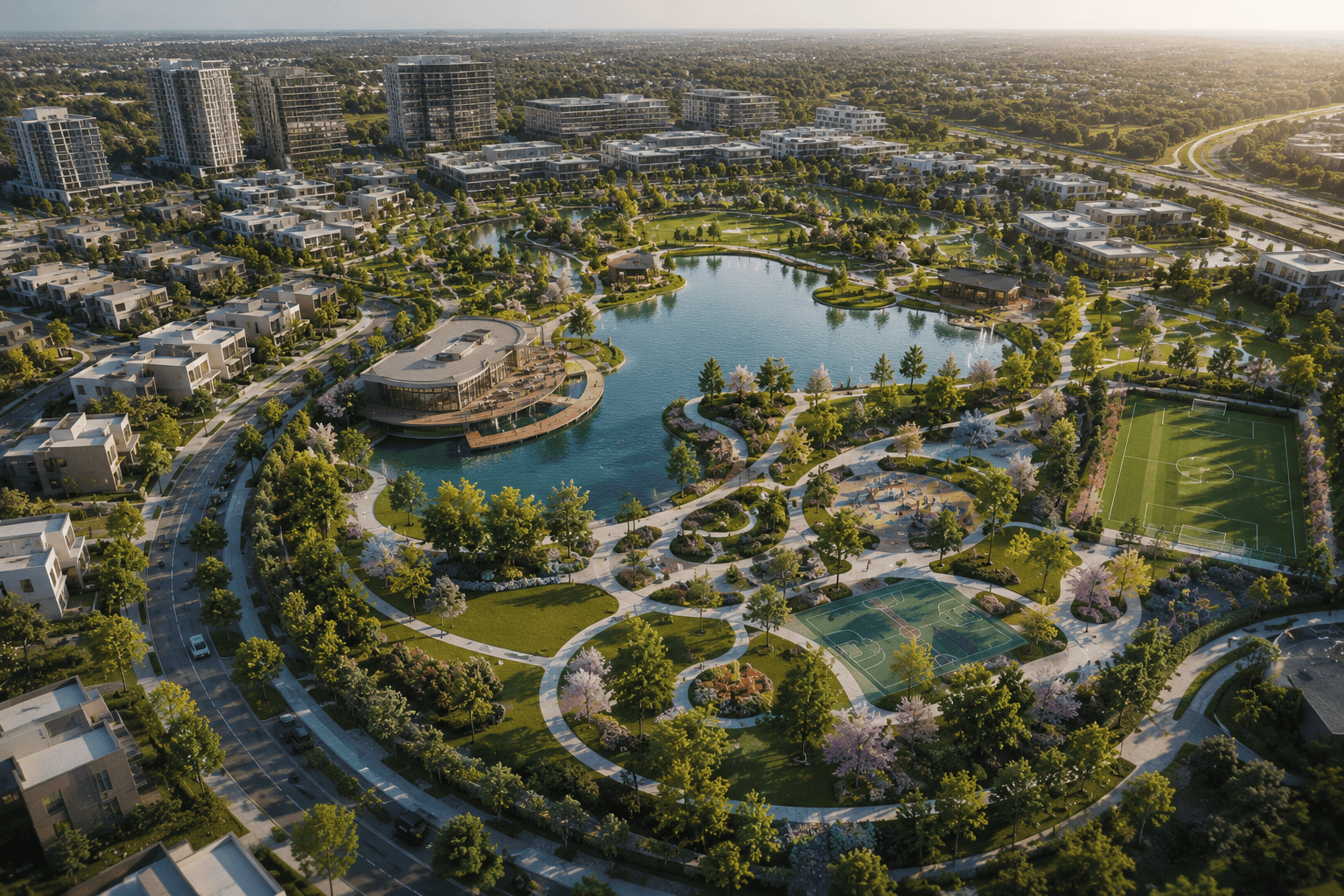
Exterior rendering shows how a building looks from the outside — including the facade, landscaping, surrounding environment, and context. It’s used by architects, developers, and real estate marketing teams to sell projects before construction begins. Pricing varies significantly based on building scale, environment complexity, and camera angle.

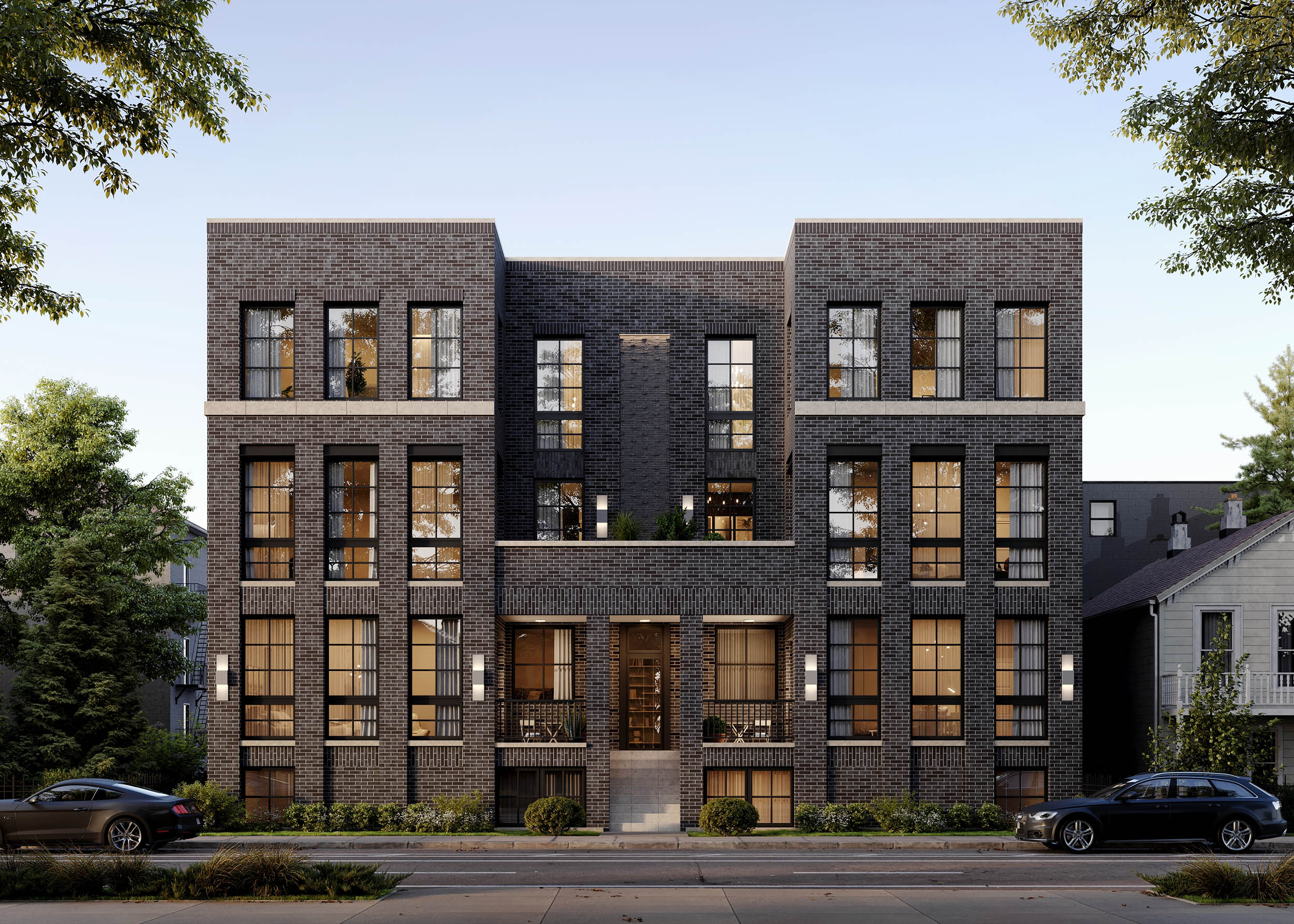
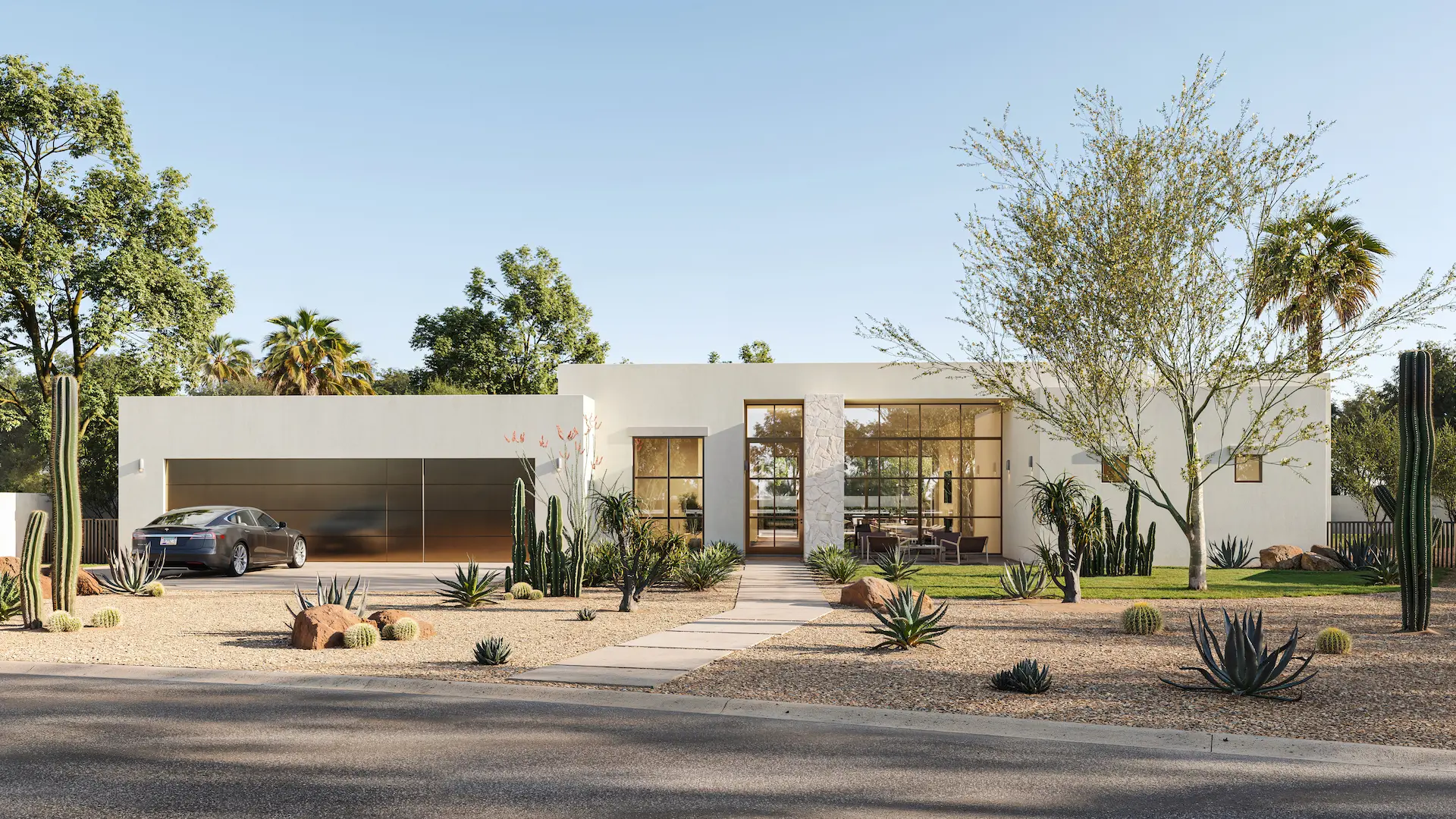
Residential Exterior Rendering: $500 – $2,000
A single-family home, townhouse, or small residential building with landscaping and street context. Simple projects with a clean facade and basic surroundings start around $500. Mid-range renders ($800–$1,200) include detailed landscaping — trees, hedges, pathways, outdoor furniture, and realistic sky. High-end residential exteriors ($1,500–$2,000) feature custom environments with pools, terraces, evening lighting, and aerial perspectives that show the full property in context.
Single-family homes have a page of their own: 3D house rendering lists what a single view and a full house set include, with a price per package.
Commercial Exterior Rendering: $1,000 – $3,000+
Office buildings, retail centers, hotels, mixed-use developments, and large-scale residential complexes. Commercial projects cost more because of the building scale, the surrounding urban environment (streets, neighboring buildings, vehicles, pedestrians), and the level of detail expected by investors and planning committees. Complex projects with multiple buildings, aerial views, and day-to-night variations can exceed $3,000 per image.
What Affects Exterior Rendering Price
- Building scale: A single-story house vs. a 20-story tower — the modeling complexity and scene size are completely different.
- Landscaping and environment: A plain grass lawn costs far less than a fully detailed garden with mature trees, flower beds, stone pathways, water features, and outdoor lighting.
- Camera angle: A street-level eye-height view is standard. Aerial and bird’s-eye perspectives require building a larger environment around the property, adding cost.
- Time of day: Daytime renders with natural sunlight are the most straightforward. Dusk, sunset, and nighttime scenes require complex artificial lighting setups and longer render times.
- Surrounding context: A standalone house on an empty lot is simpler than a building embedded in a real streetscape with neighboring structures, roads, cars, and people.
- Weather and atmosphere: Clear sky is standard. Rain, snow, fog, or dramatic cloud formations add atmosphere but also production time.
Need exterior visuals for your development project? See our exterior rendering services — from single homes to large-scale commercial developments.
3D Architectural Rendering Cost
Architectural rendering combines interior and exterior visualization into a comprehensive visual package for a building project. Architects, developers, and design firms use it for planning approvals, investor presentations, pre-sales marketing, and design competitions. The cost depends on how many views are needed, the project scale, and the level of photorealism required.
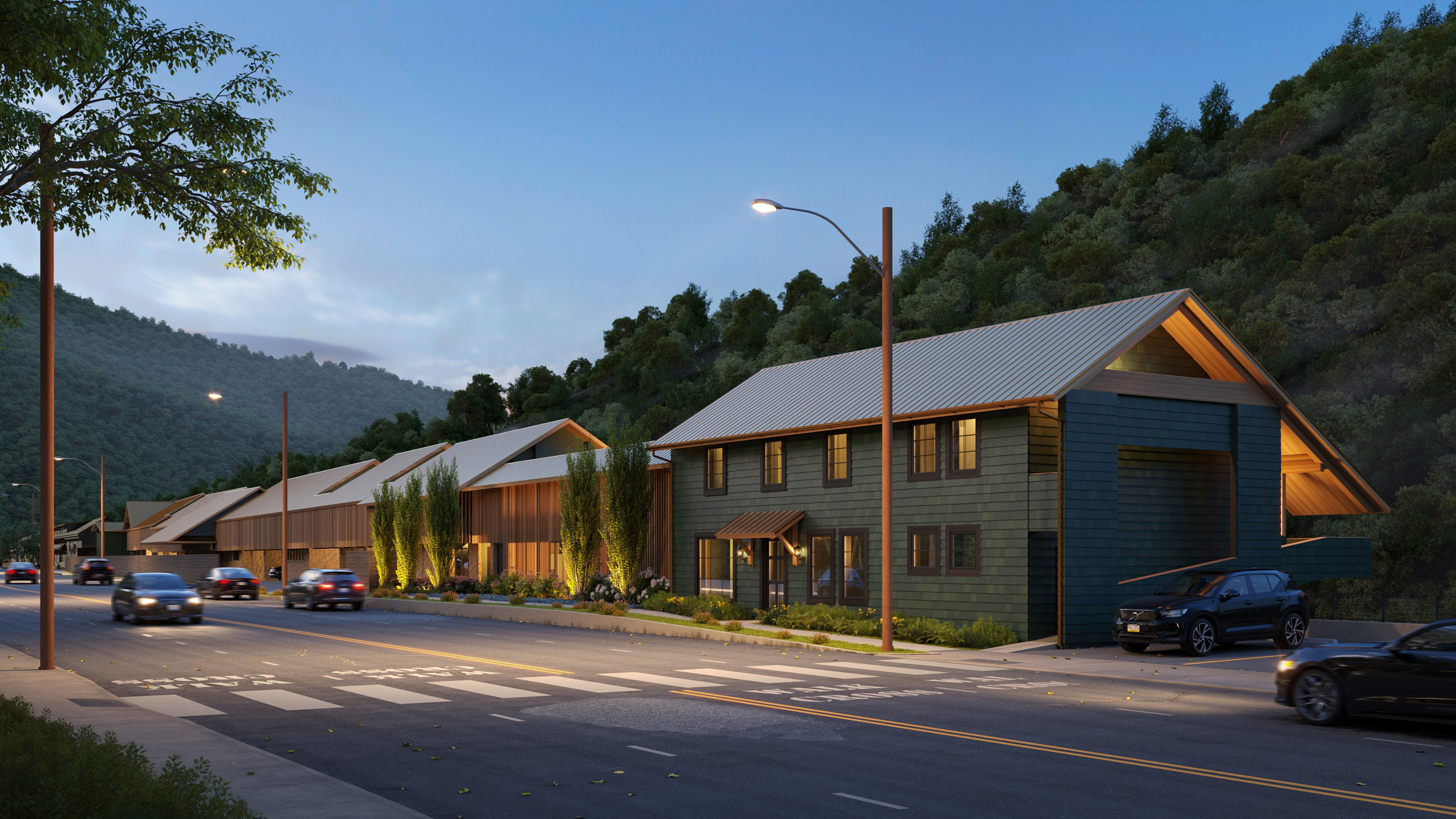
Residential Projects: $500 – $3,000
Single-family homes, villas, and small multi-unit buildings. A typical residential package includes 1–2 exterior views and 2–4 interior views of key rooms. Simple projects with standard finishes start around $500 for a single image. A full visualization package with multiple angles, day and night options, and styled interiors ranges from $1,500 to $3,000 depending on the number of deliverables and level of detail.
Commercial & Mixed-Use Projects: $2,000 – $5,000+
Office buildings, hotels, retail spaces, and mixed-use developments require more images, more complex environments, and a higher standard of presentation. These projects often include aerial views, street-level perspectives, lobby and amenity interiors, and sometimes site plan renderings. The larger the building and the more stakeholders involved (investors, planning boards, marketing teams), the more views are needed — and the higher the total cost.
What’s Typically Included in the Price
- 3D modeling: Building the structure from architectural drawings, plans, or BIM files.
- Materials and texturing: Applying realistic finishes — concrete, glass, stone, wood, metal — to every surface.
- Environment and context: Landscaping, streets, neighboring buildings, sky, and atmospheric conditions.
- Lighting: Natural light based on sun position, time of day, and geographic location. Artificial light for interiors and night scenes.
- Styling: Furniture, people, vehicles, vegetation, and decorative elements that bring the scene to life.
- Post-production: Color grading, contrast adjustments, lens effects, and final polish in Photoshop.
- Revisions: Most studios include 2 rounds of revisions — covering composition, materials, lighting, and camera angle adjustments.
Planning an architectural project? Explore our architectural rendering services — from single-building visualizations to full development marketing packages.
3D Animation Cost
3D animation brings static renders to life — camera movement through a space, a product assembling itself, a building rising from a site plan. It’s the most expensive type of 3D visualization because every second of video requires 25–30 individual frames, each rendered at full quality. Pricing is usually calculated per second of final video or as a fixed project fee.
Product Animation: $500 – $2,000 per project
Short videos showing a product in motion — 360° turntable spins, assembly sequences, feature close-ups, or cinematic reveals. A simple 10–15 second turntable animation starts around $500. A polished 30-second product video with camera movement, transitions between angles, and post-production (color grading, music sync) typically costs $1,000–$2,000. These are used on landing pages, crowdfunding campaigns, trade show screens, and social media ads.
Architectural Walkthrough: $2,000 – $10,000+
A camera moving through and around a building — entering the lobby, walking through corridors, rising to an aerial view. Architectural walkthroughs are the most complex and time-consuming type of 3D animation. A basic 30-second flythrough of a residential exterior starts around $2,000. A 60–90 second cinematic walkthrough through multiple interior and exterior zones of a commercial project — with transitions, lighting changes, and styled environments — can reach $5,000–$10,000+.
Animation Price Per Minute
Studios quote animation per project; much of the market quotes it per minute. Here are the same ranges as above, converted, so you can line a quote up against either.
| Length and type | Project price | Works out per minute |
|---|---|---|
| 10–15 s product turntable | from $500 | $2,000 – $3,000 |
| 30 s product video | $1,000 – $2,000 | $2,000 – $4,000 |
| 30 s architectural flythrough | from $2,000 | from $4,000 |
| 60–90 s cinematic walkthrough | $5,000 – $10,000+ | $5,000 – $6,700 |
Per-minute rates read high next to still images because a minute of finished animation is 1,500–1,800 individually rendered frames. Note which way the number moves: it rises with complexity, not with length. A product turntable stays near $2,000 a minute whatever its duration, while a cinematic architectural walkthrough sits two to three times higher, because every second of it carries a fully built environment.
What Affects Animation Price
- Duration: The single biggest cost driver. Every additional second means 25–30 more frames to render. A 15-second clip and a 60-second clip are completely different budgets.
- Scene complexity: A single product on a white background vs. a full interior with furniture, textures, and lighting — the more detail in the scene, the longer each frame takes to render.
- Camera movement: A static turntable spin is simpler than a dynamic walkthrough with smooth transitions, speed changes, and multiple camera paths.
- Number of scenes: A single continuous shot costs less than an animation that cuts between multiple locations or angles.
- Post-production: Color grading, motion graphics, text overlays, sound design, and music — these are often quoted separately and can add 20–40% to the base animation cost.
- Resolution and frame rate: Standard 1080p at 30fps is the baseline. 4K resolution or 60fps doubles the rendering time and output file size.
Need a product video or architectural walkthrough? See our 3D animation services — from short product reveals to full cinematic presentations.
3D Floor Plan Cost
3D floor plans show the layout of a space from above — with walls, rooms, furniture, and finishes visible in a single image. They’re used by real estate agents, property developers, and architects to help buyers understand the spatial layout before visiting in person. Simpler and faster to produce than full interior renders, floor plans are one of the most affordable types of 3D visualization.
2D Floor Plans: $50 – $200
Clean, flat architectural layouts with labeled rooms, dimensions, and basic furniture placement. Used for listings, brochures, and building permits. Fast to produce — typically delivered in 1–2 business days. The price depends on the number of rooms and the level of detail (furniture icons, color coding, branded styling).
3D Floor Plans: $200 – $800
Isometric or top-down views with realistic 3D furniture, materials, and lighting. These give buyers a much clearer sense of how a space actually feels — the proportions, the flow between rooms, and the design intent. A basic 3D floor plan of a one-bedroom apartment starts around $200. A detailed plan of a large house or penthouse with multiple levels, custom furniture, and outdoor areas can reach $500–$800.
What Affects Floor Plan Price
- 2D vs. 3D: A flat 2D layout is significantly cheaper than a furnished 3D visualization with textures and lighting.
- Size of the property: A studio apartment vs. a 5-bedroom villa — more rooms mean more furniture to place, more walls to model, and more time to produce.
- Number of levels: Single-floor plans are standard. Multi-level properties with split levels, mezzanines, or rooftop terraces require additional work.
- Furniture and styling: An empty layout with room labels costs less than a fully furnished plan with realistic sofas, beds, kitchen appliances, and bathroom fixtures.
- Outdoor areas: Gardens, terraces, pools, and driveways add scope and detail to the plan.
- Branding: Custom color schemes, logos, legends, and labeled room dimensions for marketing brochures add a small premium.
Need floor plans for your property listing or development? See our 2D/3D floor plan services — delivered in 2–5 business days.
3D Furniture Rendering Cost
Furniture brands, manufacturers, and retailers use 3D rendering to build product catalogs, create e-commerce listings, and produce marketing visuals — without shipping every piece to a photo studio. The cost depends on whether you need a single product shot or a full collection with multiple materials, finishes, and lifestyle scenes.
Single Product Renders: $200 – $800
One piece of furniture — a sofa, dining table, chair, or bed — rendered on a white background or in a simple setting. A basic packshot of a chair with one material starts around $200. A detailed render of a complex piece (modular sofa system, upholstered bed with headboard and nightstands) with accurate fabric textures, stitching details, and studio lighting reaches $500–$800. The 3D model is built once and then reused for every angle, variant, and scene.
Furniture in Lifestyle Scenes: $500 – $1,500
Your furniture placed in a styled room environment — a living room, bedroom, dining area, or outdoor terrace. The studio builds the entire scene around your product to show scale, context, and design intent. A simple scene with a few complementary props starts around $500. A fully styled interior with custom finishes, natural lighting, and a curated atmosphere reaches $1,000–$1,500. These visuals are what you see in high-end catalogs and on brand websites.
Catalog & Collection Rendering: Volume Pricing
When you need visuals for 20, 50, or 200+ products, studios offer volume pricing that significantly reduces the per-image cost. Once the first model in a collection is built and the visual style is established, adding variants (new fabrics, wood finishes, colors) and additional angles becomes much faster. A project that costs $500 per image for 5 products might drop to $200–$300 per image at 50+ units.
What Affects Furniture Rendering Price
- Geometry complexity: A simple wooden stool vs. a tufted leather armchair with curved legs and nailhead trim — the modeling time can differ by 3–5x.
- Materials and textures: Wood grain, fabric weave, leather pores, metal brushing — each material must be recreated with physical accuracy. More materials per product means more texturing work.
- Variants: Rendering the same sofa in 10 fabric colors is much cheaper than modeling 10 different sofas. Material swaps from an existing model cost a fraction of the original render.
- Scene type: White background packshots are cheapest. Lifestyle scenes with a full room environment cost 2–3x more.
- Quantity: The more products in a single order, the lower the cost per image. Bulk production runs benefit from shared scene setups and streamlined workflows.
Building a furniture catalog or launching a new collection? Explore our 3D furniture rendering services — from single hero shots to full product line coverage.
Virtual Staging Cost
Virtual staging adds furniture, decor, and finishes to photographs of empty rooms — making vacant properties look lived-in and inviting without moving a single piece of physical furniture. It’s the fastest and most affordable way to prepare real estate listings for sale, used by agents, developers, and property managers to sell or rent spaces faster.
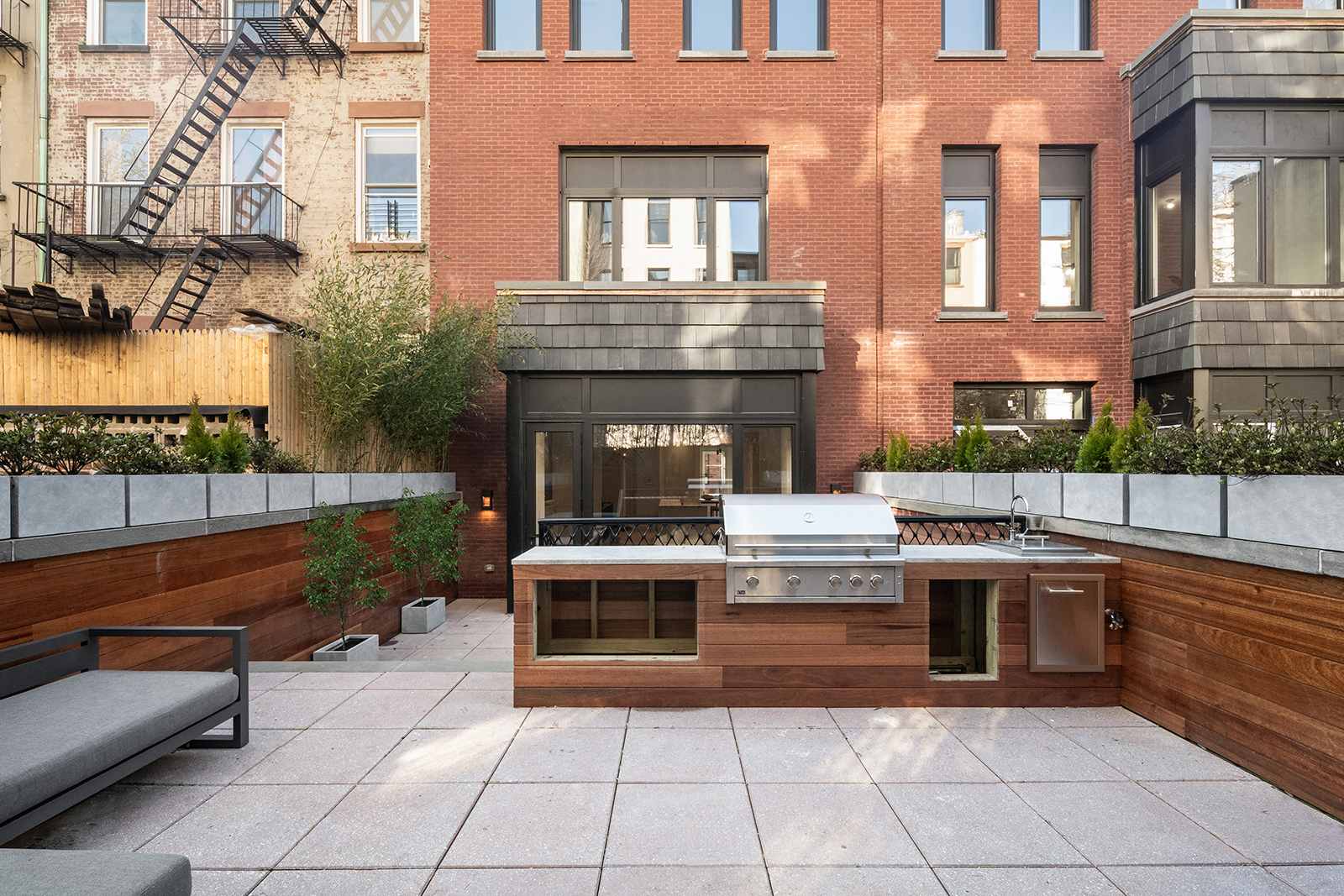
Basic Virtual Staging: $100 – $200 per image
Furniture and decor added to a photograph of an empty room using a standard library of 3D assets. The room layout stays as-is — the studio places sofas, tables, rugs, lamps, and artwork into the existing photo. Suitable for residential listings where speed and cost matter more than a fully custom look. Most basic staging projects are delivered within 24–48 hours.
Premium Virtual Staging: $250 – $500 per image
Custom furniture selection, realistic lighting adjustments, material changes (new flooring, wall color, countertops), and a higher level of photorealistic integration. Premium staging is used for luxury properties, new developments, and marketing campaigns where the visuals need to match a specific design aesthetic. The result is nearly indistinguishable from a photograph of a professionally staged room.
Virtual Staging vs. Full Interior Rendering
- Virtual staging ($100–$500): Works from an existing photo of a real room. Faster, cheaper, limited to the existing camera angle and room conditions. Best for selling existing properties.
- Full interior rendering ($300–$2,000): Built entirely from scratch in 3D — complete control over layout, camera angle, lighting, materials, and furniture. Best for projects still in development or when you need full creative freedom.
If the property already exists and you have good photos, virtual staging is the most cost-effective option. If the space isn’t built yet or you need a specific angle that doesn’t exist in photos, a full 3D interior render is the way to go.
What Affects Virtual Staging Price
- Photo quality: High-resolution, well-lit photos of empty rooms produce the best results. Dark, low-resolution, or distorted images require more correction work and can increase the cost.
- Room type: A simple bedroom or living room costs less than a large open-plan kitchen-dining area with multiple zones to furnish.
- Furniture style: Standard contemporary furniture from a library is cheapest. Custom-selected pieces matching a specific brand or design direction cost more.
- Material changes: Adding virtual staging to an empty room is one thing. Changing the flooring, wall color, or countertops on top of that adds extra editing time.
- Volume: Staging 10–20 images for a development project is cheaper per image than staging 2 rooms for a single listing.
Need to stage a property for sale or rental? See our virtual staging services — fast turnaround, photorealistic results, starting at $100 per image.
360° Virtual Tour Cost
A 360° virtual tour puts the viewer inside the space: panoramic renders stitched into scenes you can look around and step between. Developers use them for pre-sales, hotels for room previews, landlords for fit-out concepts. Price depends on how many scenes the tour holds and whether each panorama is rendered from a 3D model or shot on site.
Single 360° Panorama: $500 – $1,200
One rendered scene the viewer can pan around in full. It is an ordinary interior or exterior render taken further: the entire environment has to be modelled and lit, not only what a single camera would have framed. A straightforward room with library furniture starts around $500; a fully styled space with custom joinery and evening lighting reaches $1,000–$1,200.
Multi-Scene Tour: $1,500 – $3,000+
Several panoramas linked by hotspots — entrance, living room, kitchen, bedroom, terrace. Beyond the extra scenes you are paying for continuity: the same materials and the same light have to read correctly from every position, and the transitions have to line up. A four-to-six scene apartment tour typically lands at $1,500–$2,200. A full amenity floor or a hotel with a dozen scenes goes past $3,000.
What Affects Virtual Tour Price
- Number of scenes: the main driver. Each one is a complete environment, not an extra camera angle on a render that already exists.
- Rendered vs. photographed: a tour built from 3D can show a building that isn’t standing yet. A tour stitched from on-site panoramas is cheaper, but the space has to be finished and styled first.
- Interactivity: plain look-around is the baseline. Hotspots, floor-plan navigation, material switchers and embedded video each add development time on top of the rendering.
- Hosting and delivery: a tour is software, not a file. Some studios include hosting for a year, others hand over a package you host yourself. Settle this before the quote.
- Resolution: panoramas are viewed zoomed in, so each is rendered far larger than a still image, and render time rises with it.
Planning a tour? See our 360° virtual tour services — the same service covers VR if the tour has to run in a headset rather than a browser.
Why Is 3D Rendering Expensive?
If you’ve ever looked at a rendering quote and thought “why does a digital image cost this much?” — you’re not alone. But there’s a reason professional 3D visualization isn’t cheap. Every photorealistic render is the result of multiple specialized skills, expensive tools, and hours of production time that aren’t visible in the final image.
Software and Hardware
Professional rendering software — 3ds Max, Cinema 4D, V-Ray, Corona Renderer — comes with annual licensing fees ranging from $500 to $2,500+ per seat. Studios often run multiple licenses across a team. On top of that, rendering demands serious hardware: high-end GPUs, 64–128GB of RAM, multi-core processors, and render farm capacity for animation projects. A single workstation capable of handling complex scenes costs $5,000–$15,000, and studios maintain multiple machines running simultaneously.
Time and Expertise
A single photorealistic render isn’t a one-click operation. The typical production pipeline includes 3D modeling (building the geometry), texturing (applying materials to every surface), lighting (setting up realistic light sources), rendering (the computer calculates the final image — often taking hours), and post-production (color grading, retouching, final polish). A straightforward product packshot might take 1–2 days. A complex architectural scene with custom interiors can take a week or more. You’re paying for the time of skilled 3D visualization artists who’ve spent years mastering this pipeline.
Photorealism Takes Skill
The difference between a render that looks “3D” and one that’s indistinguishable from a photograph comes down to artistic skill. Accurate photorealism requires a deep understanding of how light behaves in the real world — how it bounces off a brushed metal surface, how fabric absorbs and scatters light, how glass refracts and reflects at different angles. Recreating these effects digitally takes experience, a trained eye, and meticulous attention to detail. This is craft, not button-clicking.
Revisions and Communication
Every project includes rounds of feedback — adjusting materials, tweaking camera angles, changing lighting, swapping furniture. Each revision means re-rendering the scene (sometimes for hours) and additional artist time for adjustments. Studios build revision rounds into their pricing, but projects with unclear briefs or frequent scope changes inevitably cost more. The clearer your brief, the fewer revisions needed, and the lower the final cost.
AI Rendering Cost: Where It Saves Money and Where It Doesn’t
Almost everyone asks it before commissioning anything: can an AI tool do this for a fraction of the price? Sometimes yes. Here is what AI rendering costs, the work it genuinely covers, and where it stops being an option.
What AI Rendering Costs
Text-to-image and sketch-to-render services charge per generated image or by subscription — roughly $0.70 to $15 per image, or $10 to $50 a month for a bundle of credits. AI virtual staging sits at about $1 to $5 per photo against the $100 to $500 of manual staging described above. On price alone the comparison isn’t close, which is exactly why the question keeps coming up.
The comparison that matters is cost per usable image. A studio render is produced to a brief and lands on the first or second pass. An AI image is generated in batches and picked from: you pay almost nothing per attempt and spend your own time selecting and re-prompting. For a mood board that trade is excellent. For a deliverable that has to match a drawing, it isn’t a trade at all.
Where AI Works Well
- Mood boards and style exploration — a dozen directions in an afternoon, before anyone commits to a design.
- Early concepts — turning a sketch or a massing model into something a client can react to.
- Entourage and background — people, vegetation, cars and sky around an already approved building.
- Simple virtual staging — an empty, well-lit, rectangular room furnished with standard pieces.
- Process video — see our guide to AI construction process video.
In all of these the job is to communicate an idea, and approximately right is the whole requirement.
Where AI Breaks
- Exact geometry. AI works from pictures, not from your drawings. Storey heights, window counts, mullion spacing and roof pitches come out plausible rather than correct — no use for a planning submission or for marketing a building that has to be built.
- Materials to specification. “Warm oak” is a mood. A named veneer with a real grain direction and a measured sheen is a deliverable, and AI cannot texture to a supplier’s sample.
- Repeatability between views. Ask for the same kitchen from three angles and you get three different kitchens: the cabinet run moves, the island changes size, the light shifts. A set of images for one brochure has to be one place.
- Brand-accurate products. A sofa that is nearly your sofa is not your sofa. Catalogue and e-commerce work needs the manufactured object, down to the stitch spacing.
- Revisions. There is no scene to adjust. “Move the camera left and warm the lighting” means generating again and hoping, where a 3D scene is simply re-rendered from the same geometry.
Why Studio Prices Haven’t Dropped
AI takes minutes out of a process whose cost sits in modelling accuracy, material fidelity and revision cycles — exactly the parts it cannot do. Studios already use it internally for denoising, upscaling and post-production, and that saving is inside the prices on this page rather than a discount waiting on top of them.
What you buy is also a different object. An AI image cannot be reproduced on demand; a studio project leaves you an accurate, licensed 3D asset that generates new angles, finishes and scenes for years — the reuse that makes rendering cheaper than photography in the first place.
The practical rule: use AI where being approximately right is fine, and pay for a render where being exactly right is the point. Most projects need both, at different stages.
Freelancer vs Studio: Price Comparison
One of the first decisions when budgeting for 3D rendering is whether to hire a freelance artist or work with a professional studio. Both can deliver quality results, but they differ in price, workflow, reliability, and what’s included in the cost.
Freelance 3D Artists: $20 – $100/hour
Freelancers work independently — usually one person handling modeling, texturing, lighting, rendering, and post-production. Rates vary dramatically based on experience, location, and portfolio quality. A junior freelancer on Fiverr or Upwork might charge $20–$40/hour. An experienced specialist with a strong portfolio and years in the industry charges $60–$100/hour — sometimes overlapping with studio rates.
Pros:
- Lower rates, especially for simple or small-scope projects.
- Flexible pricing — easier to negotiate per-project deals.
- Direct communication with the person doing the work.
Cons:
- One person means one bottleneck — if they get sick, take on another project, or go on vacation, your deadline slips.
- Quality varies widely. A great portfolio doesn’t always mean consistent output on every project.
- Limited capacity for large orders. Rendering 50 products in two weeks isn’t realistic for a single person.
- Communication and project management are on you — freelancers rarely have account managers or structured review workflows.
Professional Studios: $50 – $150/hour
Studios have teams — modelers, texture artists, lighting specialists, post-production editors, and project managers. The work is distributed across specialists, which means faster turnaround, more consistent quality, and the ability to handle large-volume projects without bottlenecks.
Pros:
- Consistent quality across every image — established workflows, quality control, and art direction.
- Capacity for large projects — 50 product renders, 20 interior views, a full development package — without timeline risk.
- Structured process with clear milestones: brief → clay render → color preview → revisions → final delivery.
- Project management included — a dedicated contact handles communication, feedback, and scheduling.
- Reliability and accountability — studios have reputations to protect and contracts to honor.
Cons:
- Higher rates than most freelancers.
- Less flexibility on very small or experimental projects.
- Minimum project sizes — some studios don’t take single-image jobs.
Side-by-Side Comparison
| Freelancer | Mid-Range Studio | Premium Studio | |
|---|---|---|---|
| Hourly rate | $20 – $100 | $50 – $100 | $100 – $150+ |
| Product packshot | $50 – $300 | $100 – $500 | $300 – $800 |
| Interior render | $150 – $800 | $300 – $1,500 | $1,000 – $2,500 |
| Exterior render | $200 – $1,000 | $500 – $2,000 | $1,500 – $4,000 |
| Turnaround | Varies widely | 5–10 business days | 5–14 business days |
| Revisions | Often limited | 2 rounds typical | 2–3 rounds typical |
| Consistency | Depends on individual | High | Very high |
| Volume capacity | Limited | Yes | Yes |
| Best for | Small budgets, simple projects | Most commercial projects | Luxury, high-stakes marketing |
Which Should You Choose?
- Choose a freelancer if you have a small, clearly defined project, a tight budget, and enough time to manage communication and revisions yourself.
- Choose a mid-range studio if you need reliable quality, structured workflow, and the ability to scale — this covers the majority of commercial rendering projects.
- Choose a premium studio if the visuals are going into luxury marketing, investor presentations, or high-profile campaigns where image quality directly impacts revenue.
Hourly vs Fixed Price: How Studios Charge
There’s no single industry-standard pricing model for 3D rendering. Different studios and freelancers charge in different ways — and understanding the model before you sign a contract helps you compare quotes accurately and avoid unexpected costs.
Hourly Rate: $30 – $150/hour
The studio or artist tracks time spent on your project and bills accordingly. Hourly rates vary widely based on location, experience, and specialization:
- $30–$50/hour: Freelancers in lower-cost markets, junior artists, or studios in Eastern Europe, South Asia, and South America. Suitable for simpler projects where photorealism isn’t critical.
- $50–$100/hour: Mid-range professional studios and experienced freelancers. This is where most commercial-quality work happens — product renders, interior visualizations, and architectural images that need to look polished and accurate.
- $100–$150/hour: Premium studios in the US, UK, and Western Europe with established reputations, senior artist teams, and high-end portfolios. Typical for luxury real estate marketing, brand campaigns, and projects where visual quality is non-negotiable.
When hourly works best: Ongoing retainer relationships, projects with evolving scope, or tasks where the final deliverable isn’t clearly defined upfront (concept exploration, design iterations, R&D visualization).
The risk: If the scope isn’t tightly defined, the final bill can exceed your initial estimate. Always ask for a time estimate and a cap before starting an hourly engagement.
Fixed Price per Image
The most common model for one-off projects and clearly defined deliverables. You agree on a fixed price per render before work begins — the cost doesn’t change regardless of how many hours the studio spends on it. This is how most product rendering, interior visualization, and exterior rendering projects are quoted.
When fixed price works best: Projects with a clear brief, a defined number of images, and specific quality expectations. You know the exact cost upfront, which makes budgeting simple.
The risk: If you significantly change the scope mid-project (add new angles, change the product, redesign the scene), the studio will issue a revised quote. Fixed price covers the agreed scope — not unlimited changes.
Per-Project & Volume Pricing
For larger projects — a full product catalog, a real estate development with 20+ images, or an ongoing partnership — studios offer project-based pricing with volume discounts. The per-image cost drops as the quantity increases because the studio can reuse models, scenes, lighting setups, and established workflows.
Typical volume discounts:
- 5–10 images: 10–15% discount vs. single-image pricing.
- 10–30 images: 15–25% discount.
- 30+ images: 25–40% discount, depending on consistency of scope (same product type, same scene style).
When volume pricing works best: Furniture catalogs, e-commerce product lines, real estate developments with multiple units and amenity spaces. If you know you’ll need rendering on a regular basis, negotiating a retainer or annual rate saves significantly over one-off quotes.
Which Model Should You Choose?
| Hourly | Fixed Price | Volume / Project | |
|---|---|---|---|
| Budget predictability | Low | High | High |
| Scope flexibility | High | Low | Medium |
| Best for | Ongoing work, unclear scope | Defined projects, 1–10 images | Catalogs, large orders, retainers |
| Cost per image | Varies | Fixed | Lowest |
For most one-off projects, fixed price per image is the safest choice. For ongoing partnerships or large catalogs, negotiate a volume or retainer rate upfront.
3D Rendering Cost by Region
Where a studio is based moves the price as much as what you order. The ranges below are per finished still image at a mid-level professional studio — the same quality band as the numbers in the sections above.
| Region | Average Price Per Render | What You Get for It |
|---|---|---|
| USA & Canada | $600 – $2,500 | The highest rates on the market. Premium quality, strong commercial demand, native-language communication and same-day feedback loops. |
| Western Europe | $400 – $1,800 | A mature architectural market with competitive pricing and close time-zone overlap for UK and EU clients. |
| UAE & Middle East | $500 – $2,200 | High demand for luxury visuals and fast turnaround. Developers expect marketing-grade imagery from the first draft. |
| Asia (India, China, Philippines, Vietnam) | $150 – $700 | The most affordable option and the usual choice for bulk work. Quality varies widely from studio to studio. |
Why the Studio’s Location Affects the Price
Regional pricing is shaped by labor costs, local competition, industry demand, client expectations, taxes and regulation, and what software, hardware and senior talent cost on that market. Studios in the US, Canada and Northern Europe generally charge more. Studios and freelancers in South and South-East Asia quote less, usually against longer turnaround times and more revision rounds.
The location premium is not automatically a quality premium. A $2,000 render from a New York studio and a $600 render from a Warsaw studio can be the same image. What the higher price buys is proximity, availability, and usually a larger production team standing behind the deadline.
Outsourcing vs. Working with a Local Studio
Outsourcing gives you lower rates, access to larger production teams, and far better economics once you need images in volume. A local studio gives you easier communication, time-zone alignment, tighter quality control and more predictable deadlines. Many clients end up with a hybrid arrangement: local creative direction, offshore production.
If your project sits in one specific market, the numbers get more precise. Our guide to 3D rendering prices in Dubai breaks one region down in full.
How to Get an Accurate 3D Rendering Quote
The biggest reason rendering quotes vary so much between studios isn’t just pricing differences — it’s brief quality. A vague request like “I need some renders of my product” will get you estimates ranging from $200 to $5,000 because every studio is guessing at the scope. A detailed brief gets you accurate, comparable quotes and eliminates surprises later.
What to Include in Your Brief
The more information you provide upfront, the more accurate your quote will be. Here’s what studios need to price your project correctly:
- Product or project files: CAD models (STEP, IGES, OBJ, FBX), architectural drawings (DWG, PDF), or SketchUp/Revit/3ds Max files. If you don’t have 3D files, detailed photos with dimensions work too.
- Number of images: How many final renders do you need? Specify angles — front, side, top, detail close-up, lifestyle scene.
- Image type: White background packshot, lifestyle scene, aerial view, interior, exterior — each has a different price.
- Materials and finishes: Reference photos or physical samples of the exact materials — wood species, fabric swatches, metal finishes, paint colors.
- Color/material variants: How many versions of the same product? 3 fabric colors? 5 wood finishes? Variants from an existing model are significantly cheaper than new setups.
- Resolution and format: Web-only (72 dpi, 2000px) or print-ready (300 dpi, 5000px+)? PNG with transparency or JPEG?
- Reference images: Examples of the visual style you’re looking for — from competitor websites, Pinterest, design magazines. This saves more back-and-forth than any other item on this list.
- Deadline: Standard turnaround (5–10 business days) or rush delivery? Urgent timelines typically add 25–50% to the base price.
Quotation Sample
Here’s what a typical rendering quote looks like for a mid-size project — so you know what to expect when you receive one:
Project: Product Catalog for Furniture Manufacturer
| Deliverable | Qty | Unit Price | Subtotal |
|---|---|---|---|
| 3D modeling — 5 furniture pieces | 5 | $300 | $1,500 |
| White background packshots | 10 | $150 | $1,500 |
| Lifestyle scenes (product in interior) | 5 | $500 | $2,500 |
| Material variants (3 fabrics per product) | 15 | $80 | $1,200 |
| Total | $6,700 |
Includes: 3D modeling, texturing, lighting, 2 rounds of revisions, post-production, delivery in PNG + JPEG. Timeline: 14 business days.
Red Flags in Cheap Quotes
A low quote isn’t always a good deal. Watch out for:
- “Starting from” without a final number: If the quote says “from $100” but doesn’t specify a fixed total after reviewing your brief, the final bill could be double or triple.
- No revision rounds mentioned: If revisions aren’t included in the quote, every change request becomes an extra charge. Always confirm how many rounds are covered.
- No timeline commitment: A cheap quote with no delivery date means your project could drag on for weeks with no accountability.
- Portfolio doesn’t match the quote: If a studio quotes $150 for a product render but their portfolio shows only basic, non-photorealistic work — the result will likely match the portfolio, not your expectations.
- No structured workflow: Studios that skip clay render approval and go straight to final rendering often deliver results that miss the mark — leading to more revisions and higher total cost.
Tips to Keep Costs Down
- Prepare a detailed brief: The single most effective way to reduce cost. Clear requirements mean fewer revisions, less back-and-forth, and a faster delivery.
- Provide good reference files: CAD models save modeling time. Reference photos reduce guesswork. Material samples eliminate revision rounds. Every file you provide saves the studio hours of work.
- Bundle your order: 10 products in one order is significantly cheaper per image than 10 separate single-product orders. Studios optimize their pipeline for batch work.
- Limit revision scope: Approve the clay render and composition early. Changing the camera angle after full-color rendering is expensive. Catching it at the clay stage costs nothing.
- Reuse models and scenes: Once a 3D model exists, additional angles, variants, and scenes cost a fraction of the original. Plan your full visual needs upfront instead of ordering one image at a time.
- Avoid rush fees: Standard turnaround is always cheaper. If your timeline allows, plan rendering into your production schedule early.
Frequently Asked Questions
How much does a single 3D render cost?
A single render ranges from $100 to $3,000+ depending on the type. A product packshot on a white background starts at $100. A lifestyle scene with a full interior environment starts at $300–$500. An architectural exterior with landscaping and context starts at $500–$1,000. The price is driven by product complexity, scene type, and the level of photorealism required.
Is 3D rendering cheaper than photography?
For single, simple products — photography can be comparable or cheaper. But for large catalogs, products with multiple color variants, items still in development, or scenes that would require an expensive studio setup, 3D rendering is significantly more cost-effective. One 3D model generates unlimited angles, variants, and scenes without reshoots, shipping, or studio rental. The more images you need from the same product, the bigger the cost advantage of rendering over photography.
How long does 3D rendering take?
A simple product packshot can be delivered in 3–4 business days. A standard product or interior render takes 5–7 business days from approved brief to final delivery. Complex projects with multiple scenes, custom modeling, or animation take 7–14 business days. Rush delivery is usually available for a 25–50% surcharge. Every project gets a confirmed timeline before work begins.
Can I get a discount for bulk orders?
Yes. Most studios offer volume discounts starting from 5–10 images. The per-image cost drops because the studio can reuse models, lighting setups, and scene templates across multiple renders. Typical discounts range from 10–15% for 5–10 images to 25–40% for 30+ images. Ongoing partnerships and retainer agreements often get the best rates.
Do I own the 3D model after the project?
This depends on the studio and the contract. Some studios include full ownership of the 3D model in the project price — meaning you can reuse it for future renders, animations, AR, or with another studio. Others retain ownership of the model and only deliver the final rendered images. Always clarify model ownership before signing. If you plan to reuse the model later, request it explicitly in your brief and confirm it’s included in the quote.
What file formats will I receive?
Standard deliverables include high-resolution JPEG for web and marketing use, and PNG with transparent background for e-commerce listings and catalog layouts. For print materials, studios deliver TIFF files at 300 dpi. If you need 3D assets for augmented reality, the model can be exported in USDZ (Apple) and GLB (Android) formats. Always specify your format requirements in the brief — most studios include standard formats in the base price.
What if I’m not happy with the result?
Professional studios use a structured workflow specifically to prevent this. You approve the 3D model geometry at the clay render stage (before any materials or lighting are applied), then approve the first color preview before final production. Each checkpoint gives you an opportunity to request changes before the project moves forward. Most studios include 2 rounds of revisions in the base price. If you provide a clear brief and approve each stage, the final result should match your expectations without additional cost.
What information do I need to provide to get a quote?
At minimum: what you need rendered (product, interior, exterior), how many images, and your reference files (CAD models, drawings, or photos). The more detail you provide — materials, angles, scene type, variants, deadline — the more accurate the quote. Most studios respond with a fixed price and timeline within 24 hours of receiving a detailed brief.
How much does 3D rendering cost per square foot?
It usually doesn’t work that way. 3D rendering is priced per image, not per square foot — the number is driven by scene complexity, level of detail, how many views you need, and how long the work takes. A 400 sq ft kitchen shot from one angle can cost more than an entire house shot from one angle, if the kitchen carries custom millwork and the house is a simple massing study. Send the project details and you get a quote against them, not against floor area.
Get a Quote for Your Project
Have a rendering project in mind? Send our 3D rendering studio your brief — product files, reference images, number of views, and deadline — and we’ll respond with a fixed quote and confirmed timeline within 24 hours.
Or email us directly at mail@freedesstudio.com